ستھرا پنجاب الیکٹرانک بلنگ اور ادائیگی کے طریقے
Suthra Punjab is moving from paper bills to a fully digital billing system. Citizens and businesses receive a bill, generate a 17-digit PSID (Payment Slip ID) and pay through banks, mobile apps, wallets or over-the-counter agents.
ستھرا پنجاب بل اب آہستہ آہستہ کاغذی بل سے ڈیجیٹل سسٹم پر منتقل ہو رہا ہے۔ ہر بل کے لیے 17 ہندسوں پر مشتمل پی ایس آئی ڈی بنتی ہے جس کے ذریعے آپ بینک، موبائل ایپ، والٹ یا کیش کاؤنٹر سے آسانی سے ادائیگی کر سکتے ہیں۔
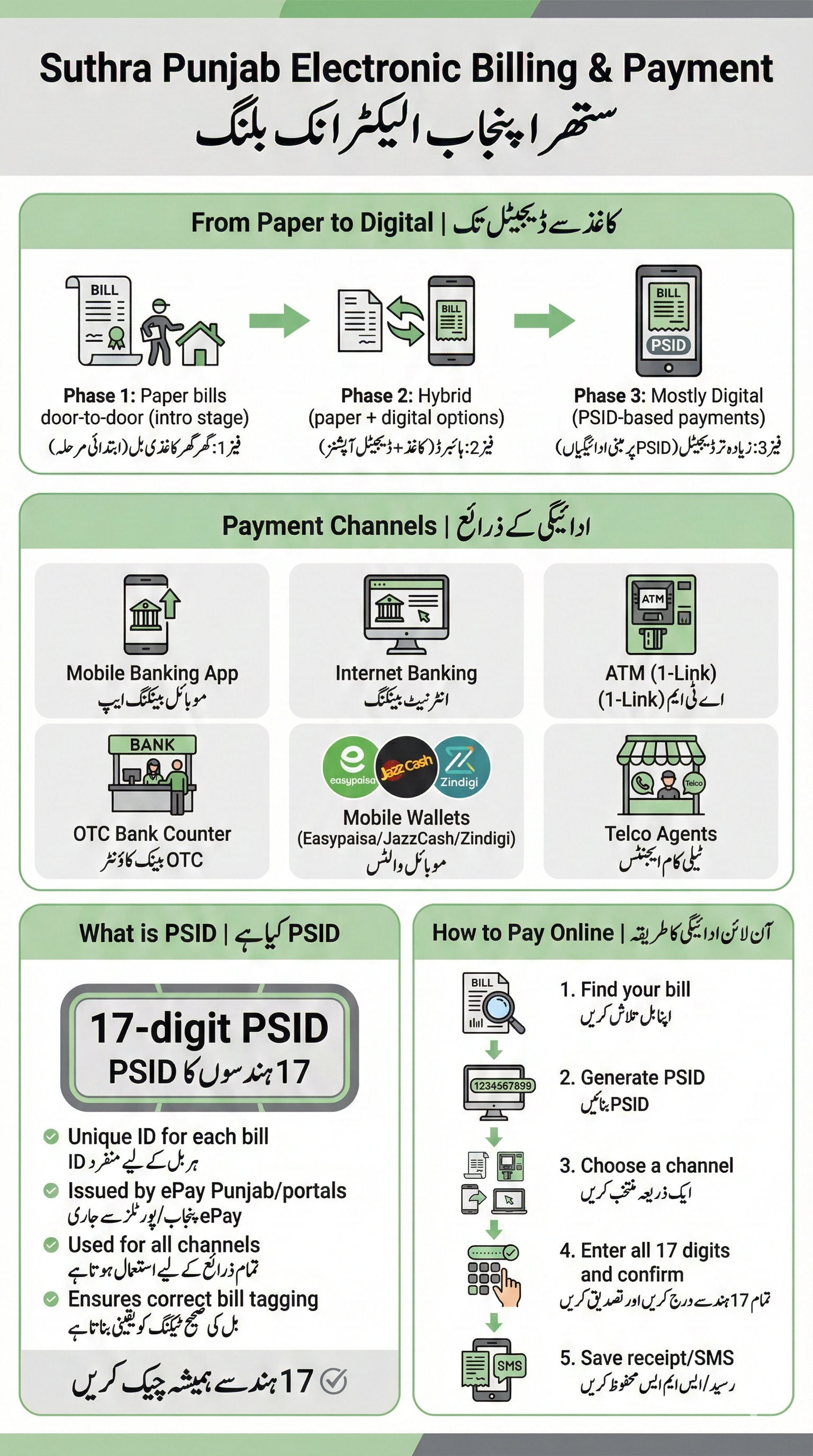
1. From paper bills to digital payments
| Phase | What happens | Who it affects |
|---|---|---|
| Phase 1 – Paper bills | Printed bills delivered door-to-door for the first cycles to familiarise citizens with the new fee. | Early rollout tehsils and upscale areas |
| Phase 2 – Hybrid | Bills still issued, but citizens encouraged to use digital channels (ePay Punjab, mobile banking, wallets). | Most urban areas |
| Phase 3 – Mostly digital | Citizens generate PSID and pay online; paper bills used only where necessary. | Province-wide target |
2. Payment channels you can use
| Channel | How it works | Good for |
|---|---|---|
| Mobile banking app | Select Government / GoP payments, enter 17-digit PSID, confirm amount and pay. | Most smartphone users |
| Internet banking | Log in to your bank website, choose bill payment, enter PSID and complete transaction. | Businesses and desktop users |
| ATM | Use any 1-Link ATM, choose GoP payments, enter PSID, confirm and pay. | People without mobile or internet banking |
| Over-the-counter (OTC) | Visit a participating bank branch with your PSID, pay cash at the counter. | Citizens who prefer face-to-face payments |
| Mobile wallets | Use Easypaisa, JazzCash, Zindigi or similar, select bill payment and enter PSID. | Users without bank accounts |
| Telco agents | Pay through authorised telecom retailers using PSID. | Rural and peri-urban areas |
3. What is PSID and why it matters
- PSID: a unique 17-digit Payment Slip ID generated for each bill or transaction.
- Who issues it: ePay Punjab platform or integrated billing systems.
- Where you use it: all supported channels including mobile banking, ATMs, OTC, wallets and telco agents.
- Why it matters: it ensures your payment is correctly tagged to your specific Suthra Punjab bill.
پی ایس آئی ڈی لازمی نمبر ہے۔ اگر آپ غلط نمبر ڈالیں گے تو پیمنٹ کسی اور ریفرنس پر لگ سکتی ہے، اس لیے ہر بار 17 ہندسے چیک کر کے درج کریں۔
4. Step-by-step: pay Suthra Punjab bill online
- Find your bill: get the latest Suthra Punjab bill or digital notice with your reference.
- Generate PSID: use ePay Punjab app / website or your waste company’s portal to generate a 17-digit PSID.
- Choose a channel: mobile banking, internet banking, ATM, OTC, wallet or telco agent.
- Enter PSID: carefully type all 17 digits, confirm the fetched amount and pay.
- Save proof: keep SMS, screenshot or printed receipt as proof of payment.
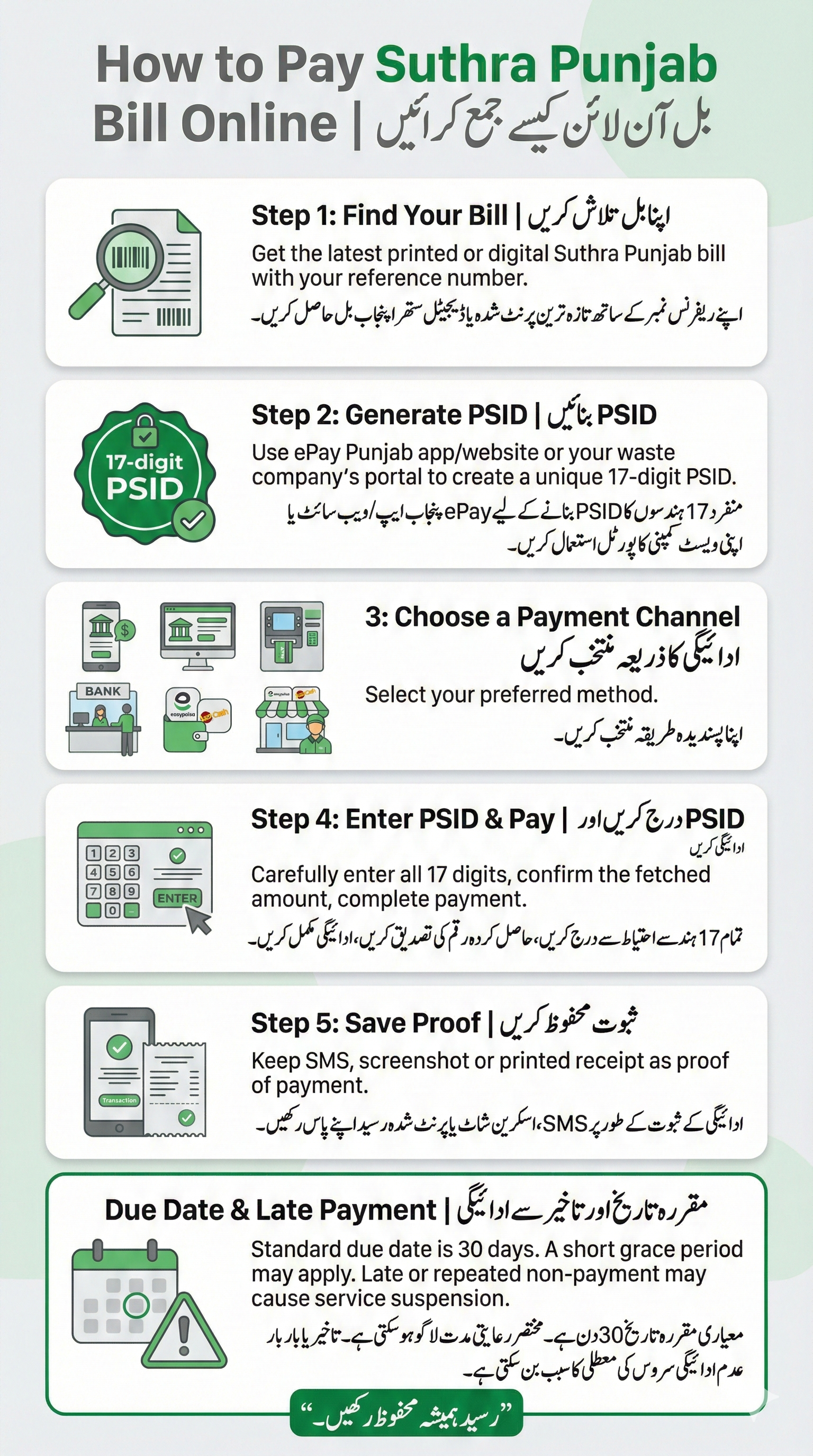
5. Due dates, grace period and late payments
- Standard due date is usually 30 days from bill issue.
- A short grace period may apply in some areas; check the printed or digital bill.
- After repeated non-payment, waste collection can be suspended and recovery may start.
- Always pay early if you rely on OTC or agents, to avoid system or timing delays.
اگر آپ کے پاس اسمارٹ فون نہیں ہے تو بھی آپ بینک برانچ، اے ٹی ایم یا موبائل ایجنٹس کے ذریعے بل جمع کرا سکتے ہیں۔ ضروری ہے کہ رسید ضرور سنبھال کر رکھیں۔